

Check out my wall mounted office
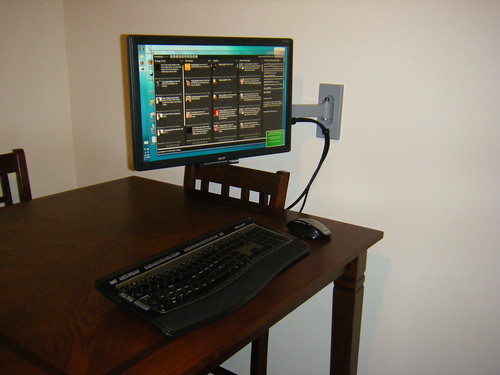
Finished product in use
Even though I love using my HP Mini 1000 to blog on the go and my Tablet works out well at home, I’ve longed for a nice widescreen monitor and full size keyboard. Since we live in a small one bedroom apartment, adding a desk to our dining room/library/reading room was out of the question and so was setting up shop in full force on the dining room table.
Rather than purchase an Anthro eNook or an Ikea knock off I decided to turn our kitchen table into an office that had a zero footprint when we wanted to have people over for dinner and thus the “Wall Mounted Office” was born.
I purchased a wall mount from Telehook Articulating Mount for $45 from ProVantage (which ships extremely fast) a 19 inch widescreen Acer monitor and a Microsoft keyboard and mouse for a total cost of under $200 excluding the laptop I already had.
You can checkout the slideshow below and head to the Flickr page to learn more about each step.
Feel free to ask questions or share your thoughts in the comments.
 Josh Smith is a blogger, database manager and adjunct professor of business and technology.


It’s official, you are a Super Computer Freak, but in the coolest sense of the word!
Awesome build! But, the thing that would make this an EPIC build, is if you used a Mac with Twhirl instead of TweetDeck. ;D
It is lacking a certain Mac’ness but I gotta work with what I have. If you know of anyone giving away a mini I’ll gladly convert
Dude… that is awesome! Great idea.
So do you just plug and unplug your laptop into the monitor every time you use it or did you run a monitor cord through the wall into another room with the laptop or what? because none of the pictures show below the table and i get the sneaking suspicion it’s because there’s a laptop laying on the floor. lol
Phil, it sits on the chair we don’t often use. If we have company over the monitor retracts to the wall and the laptop goes in the closet.